Any Video Converter Free
 AVCLabs Video Enhancer AI
 AVCLabs Video Blur AI
 AVCLabs Photo Enhancer AI
 AVCLabs PhotoPro AI
 Mobile Data Manager
 Mobile Data Transfer
 WhatsApp Data Transfer
 PC Data Recovery
 iOS Data Recovery
 Location Changer
 iPhone Unlocker
 MKV to MP4
 AVI to MP4
 WEBM to MP4
 MOV to MP4
 HEVC to MP4
 MP4 to GIF
 4K Video Converter
 HD Video Converter
 Video to MP3
 MP4 to MP3
 MP4 to WAV
 Video to Audio
 FLAC to MP3
 Text to Image
 Text to Video
 Enhance Video
 Trim Video
 Merge VIdeo
 Compress Video
 Add Subtitles
 Add Watermark
 Text to Image AI
 Text to Video AI
 Image to Video AI
 AI Art Generator
 AI Headshot Generator
 AI Logo Generator
 Ghibli Video Generator
 Seedance AI Video Generator
 Video to Text
 Video Splitter
 Video Stabilizer
 Audio to Text
 Vocal Remover
 Image Enhancer
 Image Upscaler
 Image Denoiser
 Background Remover
 Object Remover
 Photo Restoration
 Color Correction


 Any Video Converter Ultimate


Save and Reuse Your Personalized Settings
Save your custom settings as presets for future conversions and compression. Unlock 'Custom' mode to download videos exactly how you want: format, quality, audio tracks, subtitles, and more.


Save Multiple Videos or Audio Simultaneously
Maximize download efficiency by running multiple processes in parallel. Perfect for downloading entire playlists, channels, or batches of videos and audios at once.


AI Generate, Enhance, Trim, Split, Transcribe, etc
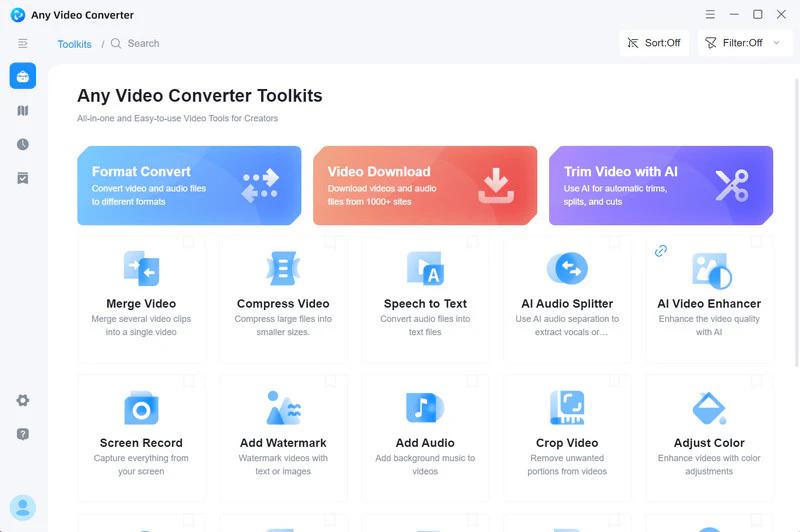
Unlock the full AI suite in Ultimate version to simplify your video workflow, including image and video generation, video enhancement, speech to text transcription, audio splitting, and more.


Free Credits for Image and Video Generation
Enjoy free credits with Any Video Converter Ultimate to unleash the power of creativity: fully access AI generation tools, including text-to-image, image to video, and text-to-video.


Deliver Everything in 4K or Higher Quality
Experience cinematic 4K clarity on all your videos, whether you're downloading videos from online, recording video and screen, generating with AI, or restoring old videos.